
Modern construction projects are complex endeavors involving many moving parts. Effective software selection has become crucial in today’s construction operations, helping firms manage coordination, scheduling, budgets, and data across projects. When teams rely on manual methods or disconnected tools, it often leads to miscommunication, delays, and cost overruns. In fact, large construction projects typically run 20% longer than scheduled and up to 80% over budget due to inefficiencies. These challenges highlight the importance of choosing the right software to streamline construction management.
Construction management software aims to solve common pain points in the industry. It provides a central platform to coordinate teams and avoid fragmented data across spreadsheets and paper documents. For example, software can facilitate real-time communication between field and office, track budgets and expenditures, automate reports, and maintain a single source of truth for project plans. By addressing issues like poor coordination, budget tracking difficulties, and siloed information, the best software for construction businesses helps projects run smoother and with greater transparency.
Some typical challenges that construction software can help overcome include:
-
Team Coordination and Communication: Ensuring contractors, subcontractors, and crews stay on the same page with up-to-date schedules and plans.
-
Budget Tracking and Cost Control: Monitoring project costs, change orders, and forecasts to prevent overruns and keep projects profitable.
-
Document Management and Reporting: Organizing drawings, contracts, and reports in one place so nothing gets lost and progress can be easily tracked.
-
Data Fragmentation: Integrating various processes (estimating, scheduling, accounting) to eliminate duplicate data entry and inconsistencies across systems.
Selecting software that aligns with your construction business needs is a significant decision. This guide will walk through key functional features to look for, how to match software to your company size, and best practices for evaluating options. The goal is to help construction professionals – from small contractors to large enterprises – choose the best software for construction operations based on objective features and business requirements.
Table of Contents
Key Functional Needs in Construction Software
Construction management software typically offers a range of functional modules that address different aspects of project execution. Understanding these core feature areas will help you evaluate which software best fits your needs. Below are the key functional needs to consider:
Project Management and Scheduling
One of the foundational features of construction software is project management and scheduling capability. This includes tools for creating project plans, sequencing tasks, assigning resources (crews, equipment), and tracking progress against milestones. Effective scheduling is crucial to prevent delays – many construction delays stem from poor or ad-hoc scheduling practices. A good software platform provides interactive Gantt charts or calendar views that let you map out the project timeline, set dependencies between tasks, and identify the critical path.
With robust scheduling features, project managers can coordinate subcontractors and deliveries, ensure the right crews are on site at the right time, and adjust timelines proactively when issues arise. For example, if a shipment of materials is delayed, software with scheduling and notification features can alert the team and automatically reschedule dependent tasks. Advanced solutions may also support resource leveling (avoiding overallocation of crews or equipment) and allow comparison of planned vs. actual schedule performance. By keeping the project timeline organized and visible to all stakeholders, project management software helps the entire team stay aligned and meet key deliverables.
Estimating and Cost Control
Accurate estimating and rigorous cost control are essential for project success and profitability. In fact, an estimating tool is often the number one feature contractors look for when evaluating construction software. Good estimating functionality allows you to create detailed cost estimates and competitive bids for projects. This may include building itemized takeoffs, applying unit costs or production rates, and factoring in labor, materials, equipment, and subcontractor quotes. The software should make it easy to adjust quantities or prices and instantly see how it impacts the total bid, helping you optimize your proposal.
Once a project is underway, cost control features help track actual expenditures against the budget. Look for capabilities like budget tracking, change order management, and cost forecasting. The software can flag potential cost overruns early by comparing committed costs to the original estimate, so you can take corrective action.
Some construction management tools integrate estimating with scheduling and resource planning; for example, linking the project schedule with the estimate can generate cash flow projections and ensure the estimate’s assumptions align with the timeline. Additionally, many platforms integrate with accounting or ERP systems to pull in real cost data and production history, yielding more accurate estimates. Overall, strong estimating and cost control features empower contractors to bid more confidently and keep projects on budget through careful monitoring of costs.
Accounting and Financial Integration
For a construction business, managing the financial side of projects is just as important as managing field operations. That’s why accounting and financial integration is a key need in construction software. Modern construction management platforms often include built-in accounting modules or seamless integration to popular accounting systems. Nearly all construction software will offer basic budgeting and cost tracking, but robust solutions go further – handling accounts payable/receivable, general ledger, payroll, invoicing, and job cost accounting within the same system. This allows project financial data (like expenses and billings) to flow directly into your company’s books without manual re-entry.
Integration between project management and accounting ensures that everyone is working with the same numbers. For instance, when a change order is approved in the field, the budget and billing can update automatically in the financial system. Having a single integrated solution improves accuracy and saves time compared to maintaining separate spreadsheets or software for job costs and finance.
Industry research shows that contractors are increasingly opting for integrated software platforms that connect workflows like accounting, project management, BIM, and estimating, because connecting these processes improves collaboration between departments. When evaluating software, check that it either includes the financial tools you need or can integrate smoothly with your existing accounting software (e.g. QuickBooks, Sage, etc.). The goal is to eliminate duplicate data entry and give both project managers and accountants real-time visibility into budgets, costs, and profitability.
Suggested article to read: Calculating ROI in Construction Project; Ultimate Guide 2024
BIM and Plan Management
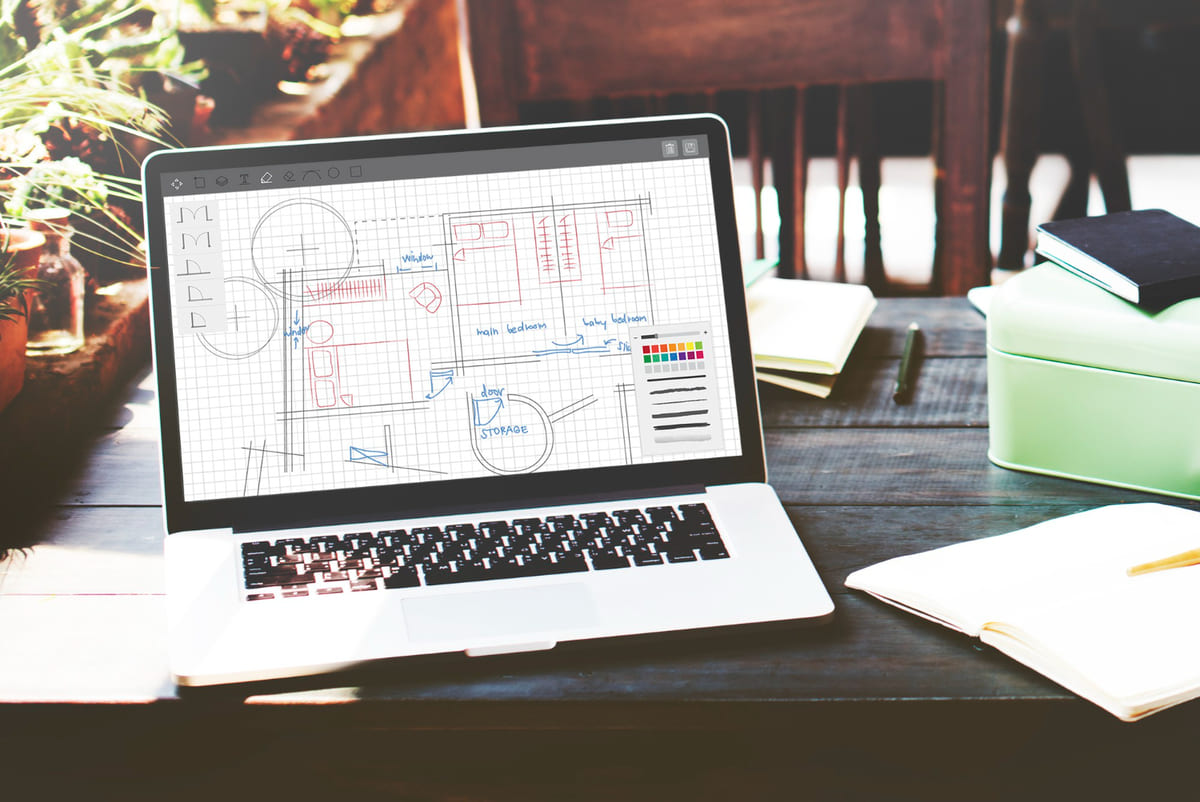
Building Information Modeling (BIM) and digital plan management have become important aspects of modern construction projects. Even if your firm is not doing full 3D/4D BIM, you likely deal with a multitude of digital drawings, models, and specifications. Construction software should assist in managing these documents and models so that the latest information is accessible to the team.
This includes version control for drawings (ensuring field crews always reference the current set of plans) and potentially integration with BIM tools or viewers to examine 3D models. As projects progress and designs evolve, the system must handle an expanding repository of files and data. It’s important that you can retrieve and share needed information from this repository at any point in the project lifecycle.
Some vendors refer to this capability as project information modeling or design data management. In practice, it means the software lets users easily share models, drawings, and building data across different roles – from architects and engineers to site managers and owners. For example, a project manager should be able to pull up the latest 3D model or a specific plan sheet and tag an issue or RFI for the design team.
Look for features like online plan rooms, model viewers, and mark-up tools that allow collaboration on drawings and BIM files. Leading construction platforms often include built-in analytics and reporting on this design data as well – for instance, tracking how many clashes were detected in a BIM coordination process, or quickly generating a revision history report for plans. In short, BIM and plan management features ensure that everyone is working off the correct, up-to-date information, which reduces errors and rework in the field.
Field Collaboration and Mobile Access
Construction work happens on job sites, so it’s critical that your software supports field collaboration and mobile access. The best software for construction businesses will have mobile-friendly apps or interfaces that allow field personnel – such as superintendents, foremen, and project engineers – to use the system on smartphones, tablets, or laptops while on-site. This real-time field connectivity closes the gap between the job site and the office. For example, a foreman can update the status of a task, log the day’s progress, or upload site photos from a mobile device, and the office team will see that information immediately. Likewise, field crews can pull up the latest drawings, schedules, or checklists on their tablet rather than carrying around paper copies.
Having dedicated field management features is especially helpful when managing multiple job sites. Look for software that provides tools for daily logs, crew time tracking, submitting field reports, and recording observations or issues on-site. Many solutions also include communication tools like team messaging or the ability to @ mention someone in a note, which speeds up issue resolution. Some construction software can even help your business stay compliant by digitizing field forms – for instance, allowing crews to complete safety inspection checklists or equipment maintenance forms via the mobile app.
Figure: A contractor uses a laptop on a job site to view and update project data in real time. Field access to construction software ensures that important updates – such as schedule changes, RFIs, or incidents – are captured at the source and shared instantly. If an issue arises on-site, team members can document it with photos or notes on their device, and stakeholders off-site are alerted right away. This immediacy prevents minor problems from causing major delays. In practice, mobile access has become a must-have: the majority of construction professionals now consider mobile capabilities “important” or “very important” for their software tools. By enabling collaboration on the go, field-capable software keeps everyone in sync and projects on track.
Document Control and Compliance
Construction projects generate volumes of documentation – contracts, specifications, permits, RFIs, submittals, inspection reports, and more. Managing these documents effectively is a core function of good construction software. Document control features provide a centralized, secure repository for all project documents, typically organized by project and category. This ensures that team members can quickly find the information they need and that they are always accessing the latest approved documents. For example, your software should store the approved drawings and be able to indicate superseded versions, so no one accidentally works off an outdated plan set. It should also log who uploaded or modified a document and when, creating an audit trail.
Another aspect of document control is setting appropriate access permissions. You may want to limit certain files to specific roles – for instance, financial records or bid documents might only be visible to managers. Construction software allows you to share documents with the relevant team members and restrict access as needed. For example, you could make the budget folder visible only to the project manager and accounting, while all users can see the latest drawings. This way, sensitive information is protected while collaboration is enabled on general project data.
Beyond organizing files, compliance management is a related need. Construction work must comply with building codes, safety regulations, and contract requirements, which involves a lot of paperwork and approvals. Software can help by providing standardized workflows and forms for compliance processes – such as safety inspections, quality checklists, lien waivers, or permit tracking – and by storing all these records alongside project documents. Many construction management platforms include templates for common compliance documents and will track due dates or expirations (for example, flagging that a permit is about to expire or an insurance certificate needs renewal).
Some systems also track inspection and safety forms digitally to ensure nothing falls through the cracks. By having document control and compliance tools in one place, contractors can more easily prove adherence to requirements and quickly retrieve documentation if disputes or audits arise. In summary, strong document control features help eliminate the chaos of project paperwork, keep teams organized, and maintain compliance with industry regulations.
Analytics and Reporting
Data is only valuable if you can use it. Construction software should therefore provide analytics and reporting features that turn the data you input (schedules, costs, delays, RFIs, etc.) into actionable insights. At a basic level, this includes the ability to generate standard reports such as cost reports, project status reports, labor productivity reports, and so on. Ideally, the software lets you customize or filter reports to get the specific views you need – for example, a report on subcontractor performance or a dashboard of key metrics across all active projects.
Advanced analytics may involve real-time dashboards that highlight important indicators. Many platforms offer a project dashboard showing items like percent complete, budget used vs. remaining, number of open issues, and upcoming deadlines. Having these visual summaries helps managers quickly identify where attention is needed. Furthermore, look for tools that can aggregate data across projects to help upper management see the big picture (e.g. portfolio-level reporting on profitability or resource utilization).
Crucially, good reporting features will not only display data but help you interpret it. For instance, some software includes earned value management calculations that compare the budgeted cost of work performed to actual cost and schedule, giving an objective measure of project health. Others might integrate with business intelligence tools to allow deeper analysis. The goal is to leverage the data captured during project execution to drive better decision-making.
For example, analytics can reveal patterns such as which types of projects tend to run over budget, or which project phases consistently cause delays, enabling the company to implement improvements. In short, robust analytics and reporting capabilities define the best software for construction firms by providing clarity and foresight – helping you not just manage projects, but continuously improve how projects are managed.
Matching Software to Company Size and Needs
Every construction company has unique needs, and these often correlate with the size of the business and the complexity of its projects. A solution that fits a small residential contractor might not be sufficient for a large commercial builder, and vice versa. It’s important to match the software to your company’s size, project volume, and internal resources. Here, we break down considerations for small contractors, mid-sized firms, and large enterprises:
Small Contractors
Small construction businesses (for example, a local general contractor or specialty subcontractor with a small office staff) typically operate with limited resources and need software that is straightforward and cost-effective. Small contractors often wear multiple hats, so they benefit most from software that covers several bases in one. In fact, one industry guide notes that most small contractors primarily need software that can handle three core tasks: estimating, project management, and accounting. In other words, a single integrated application that helps create bids, manage jobs, and keep books can bring a lot of efficiency to a small firm.
When choosing software, small businesses should prioritize ease of use and low overhead. They likely do not have dedicated IT staff, so a cloud-based solution that doesn’t require complex installation or maintenance is ideal. Cost is an important factor as well – small firms often work with razor-thin margins and unpredictable cash flow, so an affordable subscription or a scalable pricing model helps ensure the software investment is sustainable. It’s worth noting that while some very feature-rich systems exist for enterprise contractors, those can be overkill for a small team.
In fact, opting for a feature-packed enterprise system can overwhelm a small contractor; software designed for large companies might be too complex and underutilized in a small operation. Thus, focus on solutions that meet your current needs without excessive complexity. Key features for small contractors usually include an easy way to generate estimates and invoices, simple scheduling and task management to keep jobs on track, and basic document storage for plans and photos.
Small firms should also consider the potential for growth. The best software for a small construction business is one that can scale up as the company expands, adding more projects or users without a complete system change. Many modern contractor software options offer modular add-ons or higher tiers of service that you can adopt when needed. A scalable, cloud-based design ensures you won’t outgrow the tool too quickly.
Finally, remember that digital tools can provide a competitive boost to smaller contractors. Studies have shown that construction SMEs (small and medium enterprises) actually have the most to gain from adopting digital technologies, often seeing noticeable improvements in efficiency and even revenue growth after implementation. By starting with the right-sized solution and building good digital practices, a small contractor can punch above its weight in terms of organization and client service.
Mid-Sized Firms
Mid-sized construction companies occupy the middle ground – they might run several projects at once, have dedicated teams for different functions (estimating, project management, finance, etc.), and have started to formalize their processes, yet they still operate with limited budgets and staff compared to the biggest firms. For mid-sized firms, software needs become a bit more advanced.
As project volume grows, multi-project management capabilities are important. The software should allow visibility across all ongoing jobs, perhaps with portfolio dashboards or the ability to roll up reports for upper management. Scheduling tools should handle more resources and more complex project interdependencies. Additionally, mid-sized contractors often need more robust document control (handling hundreds of RFIs, submittals, and drawings) and more sophisticated cost tracking (e.g. tracking cost codes and productivity rates across projects).
Integration is often a key concern at this stage. A mid-sized company might already use separate point solutions – for example, standalone estimating software, an accounting package, and maybe a scheduling tool – and find that manual data transfer between them is causing inefficiency. Selecting an integrated construction management suite or ensuring new software can tie these pieces together via APIs will greatly improve efficiency. In fact, lack of integration is a common issue industry-wide: only about 5.5% of construction professionals have fully integrated software environments, while the majority rely on only partial or no integration between applications. Mid-sized firms should strive to increase integration, so that data flows from bid to project management to accounting seamlessly.
When evaluating options, mid-sized contractors should look for scalability and customization. They might require features like subcontractor management, fleet or equipment management, or detailed financial controls that small business tools don’t offer. However, they may not have the budget for a giant enterprise system. Many software providers offer mid-market solutions or modular systems where you can implement the pieces you need and add others later. Ensure that any software can handle an increase in users or projects, as the company might continue growing.
Training and support are also vital – mid-sized firms should assess how much training their staff will need to use the new system effectively and choose a vendor that can provide that guidance. In summary, the ideal software for a mid-sized construction firm is one that provides comprehensive project oversight and integration without being so complex that it burdens the team. It should improve coordination among departments (estimating, project management, accounting) and provide management with better visibility into project performance, all while being adaptable to the company’s evolving needs.

Large and Multi-Project Enterprises
Large construction enterprises – such as ENR Top 400 contractors or other firms managing dozens of concurrent projects and large-scale contracts – have the most complex needs. These companies often have hundreds or thousands of employees, multiple divisions or regional offices, and very high stakes projects. For a large enterprise, a simple off-the-shelf tool will likely be insufficient. Instead, enterprise-grade construction software or ERP (Enterprise Resource Planning) systems are used.
These systems offer a wide breadth of modules to cover everything from project management and field operations to financials, human resources, equipment maintenance, procurement, and beyond, all integrated in one platform. In some cases, large firms even deploy several specialized software tools and then integrate them (for example, using one system for BIM and design coordination, another for project scheduling like Oracle Primavera, and a core ERP for financials and project controls). The key is that whatever combination is chosen, it must handle the scale and complexity of enterprise operations.
Large firms should focus on software that provides robust data handling, security, and configurability. With so many users and projects, the system needs to support role-based permissions, so each user sees the appropriate projects and functions relevant to their job. Performance and database capacity are considerations too – the software should be proven to handle large volumes of transactions (think about tracking thousands of purchase orders, or a schedule with 10,000 activities). Advanced features like portfolio management become important, so executives can monitor the health of all projects in one view and allocate resources optimally among them.
Another factor is integration with other enterprise systems. A large construction company might require the project management software to interface with corporate HR systems, procurement platforms, or client systems. Open APIs and integration toolkits become critical in this context. The selection might even involve deciding between a single-vendor integrated suite versus a best-of-breed approach. Either way, interoperability and data consistency across systems are top priorities for enterprise IT environments.
It’s also generally true that large firms benefit from more customization and dedicated support. Enterprise software often can be tailored to the organization’s processes (through custom workflows, fields, or even bespoke modules) – this is important because large contractors may have established procedures or reporting requirements that generic software doesn’t cover out-of-the-box. These firms should engage with vendors that have a strong track record in servicing enterprise customers, including offering training programs, on-call support, and regular software updates.
Vendor stability is crucial; you’re not just buying a product, you’re entering a long-term partnership. Many of the largest construction companies are indeed pushing the envelope with technology. Some are even developing their own in-house applications or investing in startups to get a competitive edge. We see that industry leaders are often early adopters of advanced IT (like AI, reality capture, 5D BIM, etc.), while smaller companies lag in digitization. The software selection for a large enterprise, therefore, should align with its innovation strategy – choosing platforms that support emerging technologies and continuous improvement at scale.
In summary, large construction firms typically require powerful, integrated software ecosystems that can coordinate complex operations. The best software choice at this level is one that fits with the enterprise’s processes (or can be adapted to fit), provides enterprise-level analytics and insights, and is backed by a reliable vendor capable of supporting a large-scale implementation. While the investment in such software is significant, when aligned with the firm’s operational needs, it yields significant benefits in efficiency and control across all projects.
Evaluating and Selecting the Right Software
After identifying the features you need and considering your company’s size, the next step is to systematically evaluate and select the best construction software option. A structured evaluation process will increase the likelihood of a successful implementation. Key steps include gathering user requirements, assessing integration and scalability, evaluating usability, and checking vendor reliability and support. Below are best practices in each area:
User Requirements Gathering
Start by clearly documenting what you need the software to do. This requirements-gathering phase is critical – it prevents you from being swayed by flashy features that you don’t actually need, and it ensures you select a tool that genuinely addresses your pain points. Begin with an internal audit: identify the current bottlenecks and inefficiencies in your operations. Are you experiencing frequent schedule delays? Do you lack visibility into project costs until it’s too late? Is communication between the field and office breaking down? By pinpointing where the challenges lie (in processes like workflow coordination, data analysis, reporting, mobility, etc.), you can define what problems the new software must solve.
It’s equally important to involve the right stakeholders in this discussion. Construction software will be used by people in various roles – project managers, site supervisors, accountants, executives, maybe even subcontractors or clients in some cases. Engaging representatives from each of these groups will give you a complete picture of requirements. For example, your accounting team might emphasize the need for job cost reporting and payroll integration, while project managers might focus on scheduling and RFI tracking capabilities. Bringing these perspectives together ensures the software you choose can support all critical workflows. Transparency during this process is key; encourage open discussion of what each user group truly needs and what their ideal solution would look like.
As you gather requirements, also consider future needs. Don’t only think about the business you are today – think about the business you want to be in a few years. If you plan to take on larger projects, for instance, you might need more sophisticated cost control or BIM features down the line. Document all the requirements (must-haves and nice-to-haves) in a checklist. This will serve as a scorecard when you start evaluating vendors. In summary, a thorough requirements gathering lays the foundation for selecting construction software that truly aligns with your operations and goals.
Integration and Scalability
When evaluating a construction software solution, integration with your existing tools and processes should be a top consideration. Many construction companies today use a mix of software applications – perhaps one for estimating, another for project scheduling, another for accounting – and one reason for switching software is to reduce this fragmentation. If completely replacing all systems with one platform isn’t feasible, ensure that the software you choose can connect to your other systems. For example, check if it offers APIs or pre-built integrations for common programs (like QuickBooks for accounting, Primavera for scheduling, etc.).
The benefit of strong integration is that data flows automatically between systems. Without integration, teams often resort to exporting and importing spreadsheets, which is time-consuming and error-prone. In fact, surveys have found that fully integrated software environments are very rare in construction – only about 5.5% of firms have full integration, while 30% have no integration at all. This lack of integration leads to duplicated effort and potential inconsistencies in data. By choosing software that emphasizes integration (or a platform that combines multiple functions natively), you can eliminate many manual data transfer tasks and ensure everyone is working with the same information.
Scalability is the other side of this coin. Scalability means that the software can grow and adapt as your business grows. On the technical side, this could refer to the software handling more projects, larger project sizes, or more users without performance issues. On the business side, it could mean the software has additional modules or tiers you can upgrade to as your needs become more complex.
It’s wise to think ahead during selection: consider not just your current project load but what you expect in the future. If you’re a small contractor aiming to double your volume in the next five years, pick a solution that won’t cap out on the number of projects or cost you exponentially more to scale up. Cloud-based construction software is often advantageous here – it can easily ramp up storage and processing power as needed, and you typically can add users or projects by adjusting your subscription. This avoids heavy investments in IT infrastructure on your end.
Also evaluate the flexibility of the system. A scalable design often includes a modular architecture, where you can turn on additional features or integrate new modules when required. For example, you might start off using core project management and then later add a module for equipment management as your fleet grows. Make sure the platform won’t require a complete replacement when you reach your next stage of growth. In summary, look for software that can meet your needs today and also handle tomorrow’s demands. Choosing a scalable, well-integrated solution will save you from having to do another selection process a couple of years down the road and will maximize the long-term return on your software investment.
Usability and Learning Curve
No matter how many features a software system has, it only delivers value if your team actually uses it. Usability – how easy and intuitive the software is to learn and operate – is a critical factor in construction software selection. Construction professionals are increasingly tech-savvy, but they also have high expectations; in today’s world, people are used to the simplicity of modern apps in their personal lives and expect enterprise software to be similarly user-friendly.
A cumbersome interface or clunky workflow can lead to low adoption, as busy project teams won’t tolerate software that slows them down. When evaluating options, pay close attention to the user interface and ask for demos or trials to actually experience performing common tasks in the system. Consider involving some of the end users (e.g. a project manager or field engineer) in these demo sessions – their feedback on usability is invaluable.
Key questions to ask include: Is the navigation logical and is information presented clearly? Can tasks be accomplished in just a few clicks, or do they require complex workarounds? Also examine whether the software has mobile-friendly design if your team will use phones/tablets – a good desktop app isn’t enough if the mobile experience is poor. Many vendors tout AI or advanced analytics, but those won’t matter if basic day-to-day usage is frustrating. Look for features like customizable dashboards (so each user can see what matters to them), search functions to find data quickly, and integration with tools like email or calendars which your staff already use.

The learning curve is another part of usability. How much training will your team need to become proficient? Some complexity is expected with any powerful software, but the goal is to find a solution with an intuitive learning path. Check if the vendor provides training materials, tutorials, or customer support to help new users. It’s a good sign if the interface follows familiar patterns (for example, uses common icons or terms standard in the industry) because it will feel more natural. Also, many modern construction platforms emphasize a good user experience (UX) – some even draw design inspiration from popular consumer apps, knowing that tech-savvy younger workers will expect a smooth experience like they get on, say, social media platforms.
To ensure adoption, it can help to involve your team early. During selection, have future users sit in on vendor meetings or trials and solicit their opinions. Not only does this catch usability issues, it also gives staff a sense of ownership in the choice, which can improve buy-in. Once you’ve chosen a software, make use of any training sessions offered by the provider and consider a pilot project to get people comfortable. In summary, prioritize software that is clean, intuitive, and well-supported by the vendor in terms of training. A shorter learning curve means your company will start reaping the benefits sooner, and you’ll face less resistance from the people who need to use the tools every day.
Support and Vendor Reliability
Selecting construction software isn’t just about the application itself – it’s also about choosing a vendor or partner that will support your business for the long run. Vendor reliability and support should weigh heavily in your decision. When you invest in a construction management system, you are effectively entering a long-term relationship with that software provider.
You’ll rely on them for technical support, updates, and possibly expansion of the system as your needs evolve. Therefore, it’s important to vet the company behind the product. Investigate the vendor’s track record: How long have they been in the industry and what is their reputation among other construction firms? A provider with a strong presence in the construction sector is more likely to understand your challenges and continue developing features that add value for users like you.
One good sign of a reliable vendor is a large, active user base. Software solutions with many users (and especially an engaged online community or user group) tend to be well-tested and feature-rich, because they’ve been refined by lots of feedback over time. A large user base also indicates the vendor is doing something right to retain customers, and it reduces the risk that the company will go out of business. You can often find information about user base size or see if the vendor hosts annual user conferences, which implies a thriving community.
Next, evaluate the level of customer support and services the vendor provides. Construction projects run on tight schedules, so if something goes wrong with the software, you need to know that help will be available quickly. Does the vendor offer 24/7 support or a dedicated account manager? What do their support reviews look like? During demos, ask about the onboarding process – will they assist with data migration from your old systems, and do they offer training sessions for your staff? Also inquire about the frequency of software updates and upgrades. A good vendor will release regular improvements (often based on user feedback) and keep the technology up-to-date with industry trends.
It’s also wise to ask for references or case studies. Hearing from another construction company of similar size that has used the software can provide insight into the vendor’s reliability. Were they responsive when issues arose? How was the implementation experience? Many vendors will happily connect you with a reference client. Additionally, consider the total cost of ownership with the vendor – not just the license/subscription cost, but also costs for support, training, and future upgrades. A trustworthy vendor will be transparent about all these costs upfront.
Finally, consider the vendor’s vision and roadmap. Are they continuously innovating? Construction technology is evolving, and you want a partner that is investing in new features (for example, new mobile capabilities, integrations, or AI enhancements) rather than one that will let the software stagnate. In summary, choose a vendor that not only offers a great product but also backs it with strong support, a commitment to the industry, and a community of users. This will give you confidence that your software will remain an asset and that you’ll have help when you need it throughout the lifespan of the solution.
FAQs
How do I choose the best software for construction estimating?
Choosing the best estimating software for construction involves evaluating a few key factors. First, consider the type and size of projects you handle – you’ll want a tool that can create estimates at the appropriate level of detail (for example, a simple tool might work for small residential jobs, whereas commercial contractors might need more advanced cost databases and takeoff capabilities).
Look for features like a built-in cost database or templates for common materials and tasks, the ability to adjust productivity rates, and support for digital plan takeoffs if you need to measure quantities from drawings. Integration is also important: the estimating software should ideally integrate with your project management and accounting systems so that your bid data can flow into project budgets upon winning the job. When comparing options, take advantage of free trials or demos – try creating a sample estimate to see how intuitive and accurate the process is.
What is the best software for construction project management?
There are many construction project management software options on the market, and the “best” one depends on your organization’s specific needs. Generally, top construction PM software will include features for scheduling (Gantt charts), task management, document control, RFIs/submittals, cost tracking, and field collaboration. Some of the leading platforms in the industry (as of now) include Procore, Autodesk Construction Cloud (formerly PlanGrid/BIM 360), Oracle Primavera (for large, schedule-centric projects), Microsoft Project, Bluebeam (for plan management), and Buildertrend or ProContractor (often favored by smaller firms).
Each has its strengths – for example, Procore is known for its broad range of modules and is cloud-based, Primavera P6 is known for sophisticated scheduling and is often used on large-scale projects, and Buildertrend is praised for ease of use in residential construction. Rather than looking for a universally “best” product, focus on which features matter most for your projects.
Which features define the best software for construction businesses?
The best construction software solutions share a set of core features that address the end-to-end needs of managing projects. Key features to look for include:
-
Project Scheduling and Task Managemen
-
Estimating and Cost Management
-
Accounting and Financial Integration
-
Document Management
-
Field Collaboration and Mobile Access
-
Compliance and Quality/Safety Tools
-
Reporting and Analytics
-
Integration and Customization
Do large construction firms need different software than small contractors?
Generally, yes, large construction firms have different software requirements than small contractors, primarily due to the scale and complexity of their operations. A one or two-person contracting business might manage projects with basic tools or an entry-level construction software that focuses on a few key functions (like a combined estimating and invoicing tool). In contrast, a large construction company running multi-million dollar projects across multiple sites will need a much more robust, integrated software (or set of software) to handle everything.
Larger firms deal with higher volumes of data – thousands of cost line items, large teams of users, more complex scheduling with many dependencies, and extensive documentation – so they require software that can perform under that load and provide enterprise-level features such as multi-project dashboards, advanced security permissions, and detailed financial controls. They often benefit from an enterprise resource planning (ERP) system tailored to construction, which can tie together project management, accounting, HR, equipment management, etc., in one platform. Small contractors, on the other hand, prioritize simplicity and affordability; they may prefer an all-in-one tool that is easy to use and covers the basics without requiring a dedicated IT department to maintain.
Conclusion
Selecting the right construction software is a pivotal decision that can significantly impact your company’s efficiency and success. This guide has highlighted how the “best” software for construction is not a one-size-fits-all choice, but rather a tailored match between the software’s features and your business’s specific needs. By first identifying the key functional areas – from project scheduling and cost control to mobile field collaboration and robust reporting – you can focus on solutions that cover all critical aspects of your operations.
Equally important is choosing software appropriate for your company size and complexity: small contractors may favor simplicity and affordability, mid-sized firms need integration and scalability, and large enterprises require comprehensive, enterprise-grade systems. Aligning the software’s scope to your workload ensures that you get neither overwhelmed by unnecessary complexity nor limited by missing capabilities.
Moreover, the evaluation process is just as important as the features checklist. Taking the time to gather requirements from your team, checking how new software will integrate with existing tools, and insisting on usability will pay off with a smoother implementation and higher adoption. Remember that a software solution is a long-term investment – considerations like vendor reliability, support, and the ability to grow with your business are crucial for lasting success. When construction software is well-chosen and well-implemented, it becomes an enabling platform that improves coordination, transparency, and data-driven decision-making across your projects. It can reduce delays, control costs, and free up your team from administrative headaches, allowing them to focus on delivering quality work.
In the modern construction industry, leveraging the right technology is often a differentiator between companies that thrive and those that struggle with margins or project overruns. By following an objective selection process and aligning software capabilities with your operational needs, you set the stage for smoother projects and a more efficient business. In summary, the best software for your construction business is one that fits – it addresses your pain points, scales with your growth, and ultimately helps turn your projects into profitable, well-run endeavors. With careful selection and adoption, your construction Software will be a powerful tool in driving productivity and success for years to come.
Resources:
-
McKinsey & Company. (2016). Imagining construction’s digital future.
-
Oxford Economics for Virgin Media Business. (2019). Digital technology boost to construction industry (analysis of 1,000 companies; as reported by DesigningBuildings.co.uk).
-
TechnologyAdvice. (2023). Construction Management Software: 5 Features to Consider.
-
PlanRadar. (2022). How to choose construction management software for a small business. Available at:
-
MicroAccounting. (2023). The Ultimate Guide to Construction Software Selection (Sage Construction Whitepaper).
For all the pictures: Freepik
Suggested article for reading:
Top 7 AI-Powered Construction Tools Revolutionizing Job Sites in 2025
7 Features to Look for in a Smart Water Leak Detector in 2025
5 Ways AI-Powered Robotics Are Enhancing Digital Fabrication Processes
4 Types of Water Leakage Sensors and their Applications in Smart Buildings