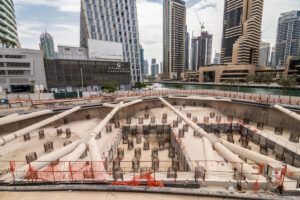

Deploying an air-quality monitoring platform on a live jobsite is a multi-disciplinary task that combines careful planning, robust technology, and field pragmatism. These projects protect workers’ health and ensure regulatory compliance by continuously tracking pollutants like dust, fumes, and gases in real time. In this guide, we outline nine practical Air-Quality Monitoring Platform Deployment Steps – from sensor selection and network setup to dashboard configuration – all in the context of a bustling jobsite.
The tone is objective and technical, yet the approach is straightforward and didactic, much like an internal training manual. Real-world examples and clear explanations will illustrate each step. By following these steps, a construction or industrial site can gain actionable insights into air quality, similar to how Lawrence Berkeley National Lab used continuous data to cut energy waste by 50% in buildings. On an active jobsite, such data-driven insights can pinpoint when and where pollutant levels spike so that timely measures (like activating dust suppression or ventilation) can be taken, ensuring a safer and more efficient working environment.
Table of Contents
9 Practical Air-Quality Monitoring Platform Deployment Steps on a Live Jobsite
Step 1: Project Planning and Objectives
Before any hardware is installed, define the objectives and scope of your air-quality monitoring project. Establish why you need to monitor air quality on the jobsite and what success looks like. This involves identifying key pollutants of concern (e.g. particulate matter from dust, volatile organic compounds from paints, exhaust gases like CO or NO<sub>2</sub>) and understanding applicable safety regulations or standards.
For example, a construction site might plan to monitor PM2.5 dust to comply with local environmental limits and protect worker health. Engage stakeholders early – site safety managers, environmental engineers, and project managers – to align on goals. Determine whether the data will be used internally (for immediate safety alerts and compliance documentation) or shared with external parties (regulators or the local community). A clear project goal will guide all subsequent decisions, from where to place sensors to how to configure your dashboard.
Key planning considerations:
-
Regulations and Standards: Review occupational exposure limits (like OSHA or local guidelines) and environmental regulations. Ensure the monitoring plan addresses these thresholds (e.g. 8-hour TWA limits for dust or chemical vapors) to stay compliant.
-
Project Timeline and Budget: Outline the deployment schedule and budget. Factor in lead times for equipment, installation effort on a live site, and any seasonal conditions that might affect monitoring (such as dry summer months with more dust).
-
Site Constraints: Identify any jobsite constraints up front. This includes areas with restricted access, hazardous zones, or power availability. Planning around these constraints (e.g. scheduling installation during non-peak hours or arranging temporary power solutions) will prevent delays later.
Step 2: Selecting Appropriate Air Quality Sensors
Choosing the right sensors is crucial, as they form the backbone of your monitoring platform. Sensor selection should be driven by the pollutants and parameters you need to measure. For an outdoor construction site, common targets include particulate matter (PM<sub>10</sub> and PM<sub>2.5</sub> for dust), carbon monoxide (from machinery exhaust), nitrogen dioxide (from diesel equipment), and possibly volatile organic compounds (VOCs) if activities like painting or asphalt work are present. Indoor jobsite environments (like interior finishing stages) might add carbon dioxide (CO<sub>2</sub>) for ventilation adequacy and formaldehyde or other specific chemicals depending on materials used.
When evaluating sensors, consider their accuracy, range, and durability. Industrial jobsites require rugged sensors that can withstand harsh conditions (dust, vibration, weather). Low-cost IoT sensors are available for many pollutants, but they might trade some accuracy for affordability. If high precision is needed (for example, to compare against regulatory-grade monitors), you may opt for mid-range sensors with known calibration or even reference-quality instruments at critical locations. Also check the sensor response time – on a live site, you want near real-time readings (e.g. updates every minute or few minutes) to catch acute pollution spikes.
Sensor selection criteria:
-
Pollutant Coverage: Ensure each relevant pollutant has a dedicated sensor or a multi-sensor unit. For example, an all-in-one environment sensor could measure PM, VOC, temperature, and humidity, but you might need separate electrochemical sensors for gases like CO or NO<sub>2</sub>.
-
Power and Communications: Some sensors have built-in battery or solar power options and wireless transmitters. Decide if you need standalone wireless sensors or if you can use wired power and data links (more on networks in Step 5). On a sprawling site with no readily available power, battery-operated or solar-powered sensors with low energy consumption are invaluable.
-
Calibration and Quality: Prefer sensors that either come factory-calibrated or support field calibration. Look for documented accuracy and drift over time. For critical measurements, plan to calibrate sensors by collocating them with a known reference monitor either before deployment or periodically during use to maintain data quality.
-
Physical Form Factor: Choose sensors suited to the jobsite environment. Compact, weatherproof enclosures are needed for outdoor use to protect against rain and dust. If mounting on equipment or structures, lightweight sensors with secure mounts will be easier and safer to install.

Suggested article to read: Air Quality in Construction; 2024 Guide
Step 3: Site Survey and Sensor Placement Planning
With sensors in mind, perform a thorough site survey to plan where and how many sensors to deploy. Good sensor placement ensures that the data collected truly represents the workers’ exposure and site emissions. Walk the jobsite to identify locations for monitors:
-
At the perimeter (to measure pollutants leaving the site, or entering from outside sources).
-
Near specific operations (for example, downwind of a demolition zone to capture dust, or near a welding station for fumes).
-
In worker high-occupancy areas (break areas, site offices, or typical breathing zones on the work floor).
When selecting exact spots for sensors, consider logistics like height and environment. Ideally, place sensors at breathing zone height (roughly 1 to 2 meters above ground) for measuring what workers inhale. However, if you’re monitoring fence-line emissions to surrounding areas, sensors on poles or rooftops might better capture the site’s overall impact. Avoid placing sensors extremely close to a single pollution source unless that is your explicit intent (for instance, directly next to an exhaust might give data that isn’t representative of general conditions).
You also need to ensure site safety and permissions: coordinate with site supervisors for access to mount sensors on cranes, poles, or structures, and verify that no regulations or property issues restrict those placements (some sites require permits to install equipment, even temporarily).
Placement considerations:
-
Representative Sampling: Aim to site sensors where they capture typical air quality conditions. For example, if measuring dust exposure for workers, a sensor should be in the general work area, not hidden behind a barrier or too far away. If monitoring the effect of traffic on air quality, place sensors near the site boundary facing the road.
-
Multiple Coverage: Use multiple sensors to cover large or complex sites. Different zones (e.g. an excavation area versus a painting area) might have distinct pollutants. A network of sensors can help map hot spots across the jobsite. Ensure overlapping coverage if a single sensor fails, critical areas are still monitored.
-
Accessibility for Maintenance: Each sensor location must be accessible for installation and future maintenance. Check that ladders or lifts can reach the spot safely, and that workers can access it without disrupting operations. Avoid areas that may be sealed off later or become hazardous to enter.
-
Environmental Factors: Keep sensors away from obstructions that could skew readings. Avoid placing them too close to walls or under eaves where air might be stagnant. Also, avoid direct influence from water spray (if dust suppression hoses are used nearby) or heat sources that could affect sensor electronics. If outdoors, position sensors to have good airflow around them, ideally a few meters away from any large vertical surfaces.
Step 4: Deployment Infrastructure and Safety
Deploying an air-quality monitoring network on a live jobsite often means setting up physical infrastructure to support the sensors. Infrastructure considerations include mounting hardware, power supply arrangements, and ensuring safety during installation. Start by selecting appropriate mounts or enclosures for the sensors. Depending on location, you might use wall brackets, tripod stands, pole clamps, or magnetic mounts (for attaching to steel beams or equipment). Ensure the mounting method can withstand site conditions – for outdoor monitors, consider using weatherproof enclosures and sun shields (to prevent overheating in direct sun) and make sure everything is secured against wind or vibrations.
Power is a major aspect of infrastructure. If mains power is available nearby, plan for safe routing of power cables (using conduit or protective cable covers to avoid trip hazards or damage from heavy machinery). In remote parts of the site without outlets, you may deploy solar panels with battery backup for each sensor node, or use high-capacity rechargeable batteries that can run for days between charges. If using solar units, place panels where they get sufficient sunlight but are still out of the way of equipment. Keep in mind solar panels might need periodic cleaning if the site is dusty.
Safety and logistical measures:
-
Installation Safety: Always follow site safety protocols when installing sensors. This includes wearing personal protective equipment (PPE) like hard hats, safety glasses, and high-visibility vests. If mounting sensors at height (e.g. on poles, ceilings, or machinery), use proper ladders or lifts and fall protection as required. Assign a spotter if one person is climbing to install hardware. Because the site is “live”, coordinate installation times to minimize interference with ongoing work (for instance, avoid installing above active workers or during heavy crane operations).
-
Electrical Safety: If connecting to site power, use weatherproof sockets and ground-fault protected circuits. Make sure all wiring is insulated and secured so that there’s no electrocution risk or chance for wires to be snagged by moving equipment. For temporary setups, you might use extension cords or generators – ensure these are set up safely, with cords kept off walkways or protected by ramps.
-
Security of Equipment: A jobsite can be a tough environment not just due to weather, but also theft or tampering. Secure sensors and any associated equipment (like data loggers or gateways) with lockable enclosures if the area is accessible to many people. Clearly label the devices as monitoring equipment (you can also add a brief note about their purpose to dissuade tampering). In public-facing scenarios (e.g. monitors on a fence visible to the public), consider placing them out of easy reach or behind locked cages.
-
Permit and Approvals: Double-check that you have any necessary approvals before final deployment. Some worksites (or local jurisdictions) require permits to install monitoring equipment, especially if mounting on public utility poles or shared structures. Confirm these in the planning phase to avoid having to relocate sensors later.

Step 5: Network Connectivity Setup
An air-quality platform is only as effective as its ability to transmit data from sensors to your central system. On a live jobsite, network connectivity can be challenging, so deliberate planning is needed. Begin by deciding what network technology suits your deployment:
-
Wireless Cellular (3G/4G/5G): Many modern air quality sensors come with cellular modems. If the site has decent cell coverage, this is a convenient option: each unit sends data via the mobile network to the cloud. You’ll need SIM cards and data plans for each device or a data hub.
-
Long-Range RF (LoRaWAN or proprietary radios): If you have many sensors over a wide area, setting up a local LoRaWAN network can be efficient. Sensors broadcast data to a central gateway on-site that has an internet uplink. LoRa works well in construction sites because of its long range and penetration through obstacles, and it can support battery-powered sensors due to low energy use.
-
Wi-Fi or Ethernet: If the jobsite has a temporary office trailer or building with internet service, you might connect nearby sensors to a Wi-Fi network or wired Ethernet. However, extending Wi-Fi coverage over an entire construction area can be difficult and less reliable outdoors, so this is usually only for indoor deployments or small sites.
-
Offline Data Logging: As a fallback, or in very remote locations with no real-time network, sensors can log data locally on an SD card or internal memory. In this case, you would retrieve the data periodically by collecting the devices or swapping storage. This is not ideal for real-time alerting, but it ensures no data loss if connectivity is intermittent.
Once you’ve chosen the network type, set up and test it before installing all sensors. For example, if using cellular sensors, verify that each location has adequate signal strength (you might do a site walk with a phone or signal tester). For a LoRaWAN approach, install the gateway at a high, central location and test range by powering a sensor at various points on site. You may find you need an additional gateway or a better antenna to cover the whole area.
Connectivity best practices:
-
Dedicated Data Gateway: It’s often beneficial to have a central gateway or hub in a secure spot (like the site office) that collects data from sensors and forwards it to the cloud or local server. This could be a rugged industrial IoT router for cellular or a gateway for LoRa. Keep this gateway equipment protected from weather and provided with reliable power (with UPS backup if necessary, so network stays up even during power glitches).
-
Network Security: Use secure communication protocols to protect the data. Many IoT sensors use MQTT or HTTPs for sending data; ensure that encryption (TLS) is enabled if available, especially if you are sending data over public networks. Change default passwords on any network devices and consider a VPN or private APN for cellular to limit exposure.
-
Bandwidth and Data Plans: Configure the data transmission interval mindful of bandwidth. For instance, pushing readings every 10 seconds from dozens of sensors might overload a network or incur high data costs on cellular. Often, a 1 to 5 minute interval for air quality data is sufficient for meaningful trends. Ensure your SIM cards’ data plans can handle the expected upload volume. If the platform allows, set data to buffer when the connection is down and auto-send when restored, so you don’t lose information.
-
Testing and Redundancy: Simulate data transmission from each sensor node during a dry run. Check that data packets are reaching the server or cloud reliably. It’s wise to test worst-case scenarios (e.g. will the network still perform during peak construction activity or bad weather?). Plan for redundancy if the data is critical – maybe two sensors in key areas using different networks (one cellular, one LoRa) to have a backup stream.
Step 6: Data Platform and Integration
Once connectivity is in place, you need a robust data platform to ingest, store, and process the incoming air quality data. In a modern deployment, this is typically a cloud-based IoT platform or a server (either on-site or cloud) running software to handle sensor data streams. Your data platform choice might be influenced by the sensor vendor (some provide their own cloud and dashboards) or you might use a generic IoT platform (like Azure IoT, AWS IoT, ThingsBoard, etc.) or even a custom database and application.
The platform’s role is to receive data from the site in real time, log it in a time-series database, and make it available for analysis and visualization. Start by configuring data ingestion: this could mean setting up MQTT topics or HTTP endpoints that sensors will publish to. If using a vendor’s system, it may be as simple as registering the devices on their dashboard so they start appearing online.
Next, ensure that data is properly time-stamped and labeled. For multiple sensors, give each a unique ID and a descriptive name (e.g. “Gate 1 PM10 Monitor” or “Crane-top NO2 Sensor”) so you can easily identify them in the software. Organize sensors into logical groups if the platform allows (such as by location or type of measurement).
Integration with other systems might also be necessary. For example, if your company has an existing safety management system or a building management system, you might feed the air quality data into those. This could be done via API integration or exporting data periodically. At minimum, set up the platform so that you can export or download data in common formats (CSV, Excel) for reporting purposes.
Data platform setup tips:
-
Time Synchronization: Make sure all devices and the server use a synchronized clock (typically via NTP) so that data from different sensors can be correlated accurately. This is important when analyzing events – you want to be sure that a “spike at 3:00 PM” is truly aligned across all sensors.
-
Data Validation: Implement basic data validation and quality checks. The platform can discard or flag implausible readings (e.g. negative values or sudden jumps far beyond normal ranges) which might indicate sensor error or malfunction. This ensures your dataset remains credible. Some platforms allow setting reasonable limits or applying smoothing algorithms; use these features judiciously to avoid over-correcting real spikes.
-
Storage and Retention: Decide how long data will be kept and at what resolution. For instance, you might keep raw 1-minute data for the past 3 months on the live system, and then archive older data or aggregate it to hourly averages for long-term storage. Ensure your platform or database has enough capacity to store the high-frequency data if you plan a long project. Cloud IoT services often have pay-as-you-go storage, so budget for that or implement downsampling for older data.
-
Integration with Alerts: While pure data storage is one aspect, integration with alerting (Step 7 covers dashboard and alerts in detail) often happens at the platform level. Check if your platform can run simple algorithms or trigger events when incoming data meets certain conditions (for example, an AQI above a threshold triggers an event). If not, you might need a separate process or script monitoring the database to generate alerts.
Step 7: Dashboard Configuration and Visualization
With data flowing into the platform, the next step is building a dashboard that presents the air quality information in a clear and actionable way. A well-designed dashboard is the window into your monitoring system for end-users like safety officers, site managers, or even the general public (if you choose to share it).
Start by identifying the key metrics and indicators you need on screen. Common dashboard elements include:
-
Real-Time Values: Display current readings for each pollutant at each sensor location. For example, a number widget showing “PM2.5 = 120 µg/m³” at the main gate sensor, perhaps colored according to severity.
-
Trends Over Time: Use line graphs to show pollutant levels throughout the day. Short-term trends can help spot when peaks occur (e.g. spikes during certain construction activities or times of day).
-
Location Map: For multiple monitors, a map view is extremely useful. Pinpoint sensor locations on a site map or blueprint with color-coded icons reflecting the latest value or an Air Quality Index (AQI) level. A quick glance at the map can tell you which area of the jobsite might be problematic at that moment.
-
Alerts and Notifications: Integrate visual or audio alerts on the dashboard for threshold exceedances. For instance, if dust levels exceed a predefined safe limit, the dashboard could flash a warning and send an email or SMS alert to the site supervisor.
-
Auxiliary Data: It’s often helpful to include related data such as weather conditions (wind speed, direction, humidity) since these can influence pollutant dispersion. For indoor sites, you might include ventilation status or HVAC readings if available.
Most IoT platforms and environmental software allow customization of dashboards with drag-and-drop widgets. Design the interface to be user-friendly: use clear labels, units, and ideally some indication of context (like comparing readings to standards or health guidelines). For example, showing PM2.5 = 120 µg/m³ is more meaningful if accompanied by an indicator that this is “Unhealthy” relative to air quality standards.
Dashboard and alert setup:
-
User Roles and Access: Determine who will use the dashboard and tailor access accordingly. You might have an internal dashboard for the safety team with full detail and control, and maybe a simplified view for workers or the public. Ensure only authorized personnel can change settings (like calibration factors or alert thresholds) on the administrative side of the platform.
-
Custom Thresholds: Set thresholds on each sensor or parameter based on regulatory limits or your own safety criteria. The system should flag high readings immediately. For example, if the local dust exposure limit is 150 µg/m³ for PM10, you might set an alert at 100 µg/m³ as a proactive warning and a critical alert at 150 µg/m³. Configure the dashboard to log when alerts occur and when they clear, so you have a record of events.
-
Multi-device Accessibility: Make sure the dashboard is accessible to the team in the ways they need. This could include a web application for desktops at the site office, a mobile-friendly view or app for managers walking around with tablets or phones, and maybe a large display in a break room or control room showing live air quality status. Real-time awareness can help crews respond quickly (for instance, if a dust monitor shows rising levels, they can start a water spray or put on masks).
-
Data Export and Reporting: Build in functionality (or ensure the platform provides it) to generate periodic reports. For example, a weekly summary of air quality or an automated daily email of yesterday’s key stats can be helpful for documentation. This complements the live dashboard by providing analysis-ready data for HSE (Health, Safety, Environment) meetings or for demonstrating compliance to authorities.
Step 8: Calibration, Testing, and Commissioning
Before declaring the system fully operational, conduct a comprehensive testing and commissioning process. This step verifies that each part of the air-quality monitoring platform is working correctly and that the data can be trusted. It’s wise to do this in a trial run phase:
-
Initial Calibration Check: If possible, perform a calibration or validation of sensors after installation. This might involve collocating a portable reference instrument (like a calibrated dust monitor or gas analyzer) next to each sensor for a short period to compare readings. Some projects also do a “bump test” for gas sensors – exposing them to a known concentration from a calibration gas canister to see if they respond accurately.
-
System Integration Test: Force some known changes and see if they propagate through the system. For example, generate a small amount of smoke or dust near a particulate sensor (safely and within reason) and watch the readings on the dashboard rise accordingly. Check that alerts trigger as expected. This not only tests the sensor but also the network, data platform, and dashboard in one go. Alternatively, simulate data if creating actual pollutants isn’t feasible – many systems allow you to input test values to see how the system reacts.
-
Data Consistency: Monitor all sensors over a shakedown period (perhaps a week) while the site is operational. Look for any sensors that behave oddly or drop offline frequently. It’s common to discover small issues at this stage, such as a sensor that reboots unpredictably or a spot with weak connectivity that needs an antenna adjustment.
-
Redundancy and Fail-safes: Confirm that any backup measures work. If sensors have onboard memory, intentionally disconnect the network for a short time, then restore it and ensure buffered data backfills correctly. If you have redundant sensors in one area, compare their readings to ensure they are in reasonable agreement.
Document all these tests and calibrations. A commissioning report should list each sensor, its serial number or ID, the date it was installed and calibrated, and the outcome of tests (like calibration adjustments applied, or network signal strength at install). This record is invaluable for future troubleshooting and for demonstrating to stakeholders that the system was set up properly.
Finally, formally hand over the system to whoever will operate it day-to-day (this could still be you or a colleague). Make sure they understand any nuances discovered during testing – for instance, “Sensor 3 tends to read 5 µg/m³ high for PM2.5, so we applied an offset correction” or “Gateway will reboot weekly as a precautionary measure.”
Commissioning checklist:
-
Verify each sensor’s data is coming through live on the dashboard.
-
Check calibration against reference measurements and apply correction factors if needed.
-
Confirm alert functions by triggering test alerts.
-
Ensure data logging is continuous and that no data gaps are present during the test period.
-
Have a backup plan in place (spare sensors or parts on hand) for any components that showed instability during testing.
-
Get sign-off from project leads that the system meets the initial objectives (from Step 1).
Step 9: Maintenance, Training, and Continuous Improvement
Deploying the system is not the end – maintaining its performance and extracting value from the data are ongoing tasks. Maintenance involves both the physical upkeep of sensors and the technical upkeep of the platform:
-
Routine Maintenance: Schedule regular inspections of all hardware. On a dusty jobsite, sensors may need periodic cleaning (for example, dust can accumulate on PM sensor inlets or optical surfaces). If filters or consumables are part of a sensor (some gas sensors have filters or electrolyte that depletes), replace them as recommended by the manufacturer. Keep solar panels clean and batteries charged or replaced as needed. A good practice is to do a quick weekly check and a more thorough monthly maintenance routine.
-
Calibration Drift Checks: Plan for calibration verification at set intervals. Low-cost sensors can drift over months. If you have a calibration schedule (say every 6 months, or at project mid-point), stick to it. Some networks use a strategy of rotating a single reference unit around to all sites for calibration; others send sensors back to a lab for recalibration if the project is long. Even just collocating all sensors together for a day to intercompare readings can highlight if one unit has deviated significantly.
Training and protocol:
-
Staff Training: Ensure the relevant personnel are trained to understand and act on the data. This includes reading the dashboard, acknowledging alerts, and knowing the response procedures. For example, if an alert indicates high carbon monoxide near an enclosed space, the team should know to ventilate the area and check equipment, and possibly evacuate if levels are dangerous. Training sessions for site supervisors and safety officers on how to use the platform will make the deployment truly effective (data is only useful if someone can interpret and respond to it).
-
Data Interpretation: Teach the team basic interpretation of trends. They should be able to recognize patterns like “daily peak” times or correlate spikes to activities (e.g., “every time we pour concrete, the dust sensor spikes due to cement dust”). By recognizing these patterns, they can proactively adjust work practices – such as misting water before a dust-generating task or scheduling high-emission tasks when fewer workers are present.

-
Continuous Improvement: Use the collected data to drive improvements in site practices. Over weeks and months, review the data for actionable insights. For instance, if monitors show consistently higher particulate levels on one side of the site due to prevailing winds carrying dust, you might install additional barriers or modify traffic routes to mitigate this. In a real example, one project found that their nighttime construction activities were unnecessarily polluting because ventilation was off; by adjusting the ventilation scheduling (similar to how LBNL discovered misconfigured systems running off-hours), they improved air quality significantly during night shifts.
-
Documentation and Reporting: Maintain clear records of the monitoring throughout the project. This can help demonstrate compliance with environmental and safety requirements. It’s also useful for internal records – for example, if later an issue arises (like a worker health complaint or a community inquiry about dust), you have concrete data to analyze and respond with. Many organizations include air quality metrics in their monthly safety reports or sustainability reports; an established monitoring platform simplifies that process by providing ready-made data.
-
System Updates: Keep the system’s software up to date. If you are using any firmware on sensors or a particular software platform, apply updates when available (preferably during planned downtime to avoid interruption). Updates often fix bugs or improve accuracy (for example, refined calibration algorithms in firmware). Just ensure to test the system after any major update.
-
Scaling and Future Use: Finally, consider if the platform can be repurposed or scaled. The investment in an air-quality monitoring platform can extend beyond the immediate jobsite. Perhaps the sensors can be moved to the next project site, or expanded with additional nodes if the project grows. Designing with scalability in mind (e.g., the ability to add more sensors or more types of measurements like noise or vibration using the same network) can increase the long-term value of the system.
By diligently maintaining the equipment and continuously engaging with the data, the monitoring platform becomes a dynamic tool. It not only provides compliance evidence but actively helps in making the jobsite healthier and more efficient. The deployment steps come full circle as the insights gained might feed back into new objectives, such as adding extra sensors in a noticed trouble spot or trying different mitigation strategies and tracking their effectiveness with data.
FAQs
How can real-time air quality monitoring improve construction site safety?
Real-time monitoring allows construction teams to detect dangerous pollutant levels immediately and respond quickly. For example, if dust or carbon monoxide levels spike beyond safe limits, alerts can prompt crews to halt work, increase ventilation, or wear protective gear. This proactive approach prevents prolonged worker exposure to harmful air and helps maintain compliance with safety standards. Over time, the data also highlights pollution patterns so that management can implement control measures (like dust suppression during specific tasks) to improve overall site safety.
What types of air quality sensors are typically used on jobsites?
Jobsites commonly use a mix of particulate and gas sensors. Particulate sensors (such as optical dust sensors) measure airborne dust like PM2.5 and PM10 – critical for construction dust and silica monitoring. Electrochemical gas sensors are used for toxic gases such as carbon monoxide (from equipment exhaust), nitrogen dioxide (from diesel engines), and sometimes VOCs (from paints, solvents, or fuel vapors). Many modern units are multi-sensor devices that also include temperature and humidity sensing, since these factors can affect air quality. Rugged outdoor air quality monitors often bundle several of these sensors in one weatherproof package for convenient deployment.
Which network option is best for transmitting sensor data from a worksite?
The best network depends on site conditions, but cellular networks are a popular and straightforward choice – they allow each sensor (or a central hub) to send data via 4G/5G with minimal infrastructure. If many sensors are deployed, a LoRaWAN (long-range radio) network with a gateway can be very effective, offering long-range, low-power communication well-suited for spread-out sites. Wi-Fi is less common outdoors unless the site has good wireless coverage. In some cases, a combination is used: for example, sensors send data to an on-site gateway via short-range radio, and the gateway uses a cellular uplink to the cloud. Whichever solution is chosen, reliability in the construction environment (resisting interference and outages) and ease of setup are key factors.
Is it true that low-cost air quality sensors require frequent calibration?
Yes, low-cost sensors generally need more frequent calibration checks compared to high-end reference instruments. They can drift over time due to factors like sensor aging or environmental impacts (e.g. dust buildup or temperature changes). To ensure accuracy, it’s recommended to field-calibrate these sensors at regular intervals – for instance, every few months or at least at the start of each major project phase.
Calibration can involve comparing the sensor with a calibrated device or using manufacturer-provided calibration kits or procedures. Some advanced low-cost monitoring platforms now include automatic calibration algorithms (like referencing occasional data against nearby official stations), but it remains good practice to verify readings periodically. Regular calibration and maintenance ensure that the data you rely on for decisions remains trustworthy.
Conclusion
Deploying an air-quality monitoring platform on a live jobsite is a substantial effort that pays dividends in safety, compliance, and operational knowledge. We began with clear goal-setting and careful selection of sensors and network technology, acknowledging that a solid foundation prevents pitfalls down the road. Each step – from strategic placement of monitors and secure installation to configuring real-time dashboards – was geared toward creating a reliable, actionable system.
Once deployed, the platform needs ongoing care and smart use of data: calibration upkeep, user training, and iterative improvements are what turn raw sensor readings into healthier working conditions and informed decision-making. In practice, these nine steps act as a roadmap for any organization looking to harness continuous air quality data. By following these practical steps, a jobsite can transform air quality from an unseen hazard into a managed aspect of the project environment, ensuring that workers breathe easier and the project meets its environmental responsibilities.
Resources:
-
United States Environmental Protection Agency (EPA). (2025). A Guide to Siting and Installing Air Sensors.
-
United Nations Development Programme (UNDP). (2025). Air Quality Monitoring Toolkit.
-
Infrastructure Health and Safety Association (IHSA). (2025). Air quality testing helps workers breathe safe. IHSA Health & Safety Magazine, 25(1).
-
Clarity Movement Co. (2022). How to most effectively site and install low-cost air quality monitors.
For all the pictures: Freepik
Suggested article for reading:
Air Quality Monitoring for Construction Sites and Demolition 2025
Indoor Air Quality Monitoring for Hospitals in 2025
9 Proven Concrete Monitoring Platform Benefits Owners See (Faster Stripping, Fewer Breaks, Lower CO₂)
5 Must Have AI Features for Concrete Monitoring (Strength Prediction, Mix Anomaly Alerts, More)